
Gravatar in Gmail (Update)

A while back I wrote a Greasemonkey script to add Gravatars to Gmail. Unfortunately it broke after an update from Gmail and had a few issues I didn’t like.
I recently had a chance to go back through the script though and update it. It now uses jQuery, works with the current Gmail structure, and loads Gravatars for all open messages (the last one didn’t). It’s not perfect though. It will not yet load Gravatars if you click to open a collapsed message in a conversation (only the expanded messages upon first opening will have the Gravatar images loaded). It works pretty well otherwise, though, and it’s nice to see faces with my emails again.
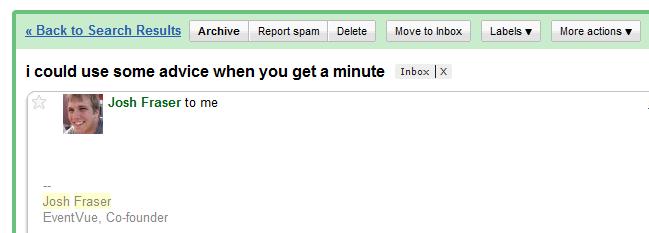
I’ve got a screen shot below if you want to see what it looks like. If you’d like to get the script for yourself, I’ve posted it here. Just install Greasemonkey, click the link, and choose “install” when the popup comes up. Enjoy.
[…] Gravatar in Gmail (Update) […]
Very cool. I've got Gravatars in my gmail now! 🙂
Jon,
Just wanted to tell you that this script rocks. Thanks so much for putting it out! Now, if there were just a way for it to automagically add Gravatars to all of my Gmail contacts so they would sync with my iPhone it would be awesome! 🙂
Cheers,
John P.
Jon,
Send me your email info to matt dot helmick at gmail dot com
I think I may have broken your gravatar account or you have broken mine. Seriously.
Matt
Link test – please ignore…http://intensedebate.com
http://intensedebate.com
test
another test
Howdy
ow try a link http://intensedebate.com
another link herehttp://google.com
ow try a link http://intensedebate.com
another link herehttp://google.com
ow try a link http://intensedebate.com
another link herehttp://google.com
ow try a link